 38 Min


Every organization relies on a knowledge base to store, retrieve, and validate information. But as customer expectations rise and support environments grow more complex, simply having information is no longer enough.
Finding the right answer, at the right moment, across the right channel is the real challenge.
That’s where an AI knowledge base comes in.
According to industry reports, AI-enabled customer service teams:
- Save up to 45% of time spent on calls
- Resolve issues 44% faster
- Improve support quality and consistency by 35%
So, what’s driving this impact?
It’s not AI as a buzzword. It’s intelligent systems working behind the scenes—understanding intent, learning from interactions, and delivering precise knowledge instantly. And at the center of this transformation sits the AI-powered knowledge base.
“Knowledge today isn’t just about storage. It’s about speed, accuracy, intelligence, and scale.”
This guide explains what an AI knowledge base is, how it works, its benefits and components, how AI powers self-service and faster knowledge discovery, and compares the best AI knowledge base software in 2026.
Let’s dive in.
Table of contents
- What is an AI Knowledge Base?
- Traditional Knowledge Base Vs AI Knowledge Base
- Why Do We Use a Knowledge Base in AI Systems?
- What are the Benefits of an AI-Powered Knowledge Base
- Types of Content in AI Knowledge Base
- Core Components of an AI Knowledge Base
- How does AI Power your Knowledge Base?
- How to Build an AI Knowledge Base?
- Top AI-Powered Knowledge Base Software in 2026
- Why Choose Knowmax for AI Knowledge Management for Your Business?
- To Sum It Up
- FAQs
What is an AI Knowledge Base?
An AI knowledge base is a centralized system that uses artificial intelligence, natural language processing (NLP), and machine learning to understand questions, retrieve the most relevant information from structured and unstructured data, and deliver accurate, contextual answers in real time.
Unlike traditional keyword-based systems, AI knowledge bases allow users to ask questions conversationally, without navigating folders or reading long documents.
They are widely used to power:
- Self-service portals
- Agent assist tools
- AI chatbots
- Enterprise knowledge management systems
How to choose a Knowledge Management System in 2026?
Traditional Knowledge Base Vs AI Knowledge Base
| Aspect | Traditional Knowledge Base | AI Knowledge Base |
|---|---|---|
| Search | Keyword-based | Natural language understanding |
| Content discovery | Manual navigation | Contextual retrieval |
| Updates | Fully manual | Semi-automated, AI-assisted |
| Answer quality | Static articles | Dynamic, intent-based responses |
| Scalability | Limited | Highly scalable |
| Use cases | FAQs, documentation | Self-service, agent assist, chatbots |
Why Do We Use a Knowledge Base in AI Systems?
Knowledge bases play a foundational role in modern AI systems because large language models (LLMs) alone cannot consistently guarantee accuracy, reliability, compliance, or contextual relevance—especially in enterprise and customer-facing environments.
A well-structured knowledge base acts as the single source of truth that grounds AI outputs in verified, approved, and continuously updated information.
Below are the key reasons AI systems depend on knowledge bases:
1. Grounding AI Responses (Reducing Hallucinations)
Large language models are probabilistic and can generate responses that sound correct but lack factual accuracy. A knowledge base grounds AI outputs in approved enterprise content, preventing hallucinations and ensuring answers are based on validated policies, product data, and procedures—especially in RAG-based enterprise AI systems.
2. Domain Expertise Injection
General-purpose AI models lack industry-specific context. By connecting AI systems to a domain-focused knowledge base, organizations can embed deep industry expertise—enabling accurate, compliant responses for sectors like banking, healthcare, insurance, telecom, SaaS, and e-commerce.
3. Faster Knowledge Updates Without Model Retraining
Retraining large AI models is expensive and operationally complex. A knowledge base allows organizations to update policies, pricing, and product information instantly, ensuring AI responses stay current without retraining models, even in fast-changing business environments.
4. Consistency Across Omnichannel Experiences
Customer experience today is inherently omnichannel. A centralized AI knowledge base ensures consistent, accurate answers across chat, voice, email, chatbots, IVR, and self-service portals, reducing contradictions and repeat queries across channels.
5. Compliance, Governance, and Auditability
In regulated industries, AI responses must be traceable, explainable, and auditable. Knowledge bases provide version control, approval workflows, and audit trails, enabling compliance with standards like HIPAA, PCI-DSS, GDPR, SOC 2, and ISO.
6. Improved AI Performance in Customer Support and Operations
When AI is backed by a knowledge base, it delivers measurable operational impact—reducing Average Handle Time (AHT), improving First Contact Resolution (FCR), and increasing self-service containment through real-time, contextual guidance for agents.
7. Scalable and Trustworthy Enterprise AI
Knowledge bases make AI scalable across teams and geographies while aligning responses with business rules and brand voice. Without a knowledge base, AI remains experimental; with one, AI becomes production-grade, reliable, and enterprise-ready.
What are the Benefits of an AI-Powered Knowledge Base
Customers today expect answers instantly. And your support team? They’re exploring channels, systems, and a flood of tickets.
An AI-powered knowledge base helps you cut through the noise. Here are some benefits of an AI knowledge base:
1. Quick Response Time
Nowadays, everybody is in a rush. Nobody likes to wait, especially when they need help or a solution. With an AI-powered knowledge base, the right answers show up instantly, whether it’s a support agent mid-call or a customer using self-service. There is no digging. There is no delay.
2. Simplified Knowledge Discovery
Forget the old days of endless searching and scattered documents. AI helps understand what people are really asking and brings the most helpful content to the top—fast. Even if they don’t know exactly what to type.
3. Boosted Content Creation
Creating help articles and updates doesn’t have to be a manual, slow process. AI chat can assist with drafting content, organizing it into categories, and even suggesting updates based on what customers are searching for. Less guesswork, more action
4. Accelerated Agent Training
Suppose new agents come, and you did give them training, but what about their self-assessments or up-to-date training? Sometimes, new agents feel overwhelmed. But with an AI knowledge base in place, they don’t need to memorize everything. They can search, follow guided steps, and learn as they go. It cuts training time and boosts their confidence from day one.
5. Consistent Support Across Channels
Everyone gets the same accurate answer, whether it’s live chat, phone, email, or a chatbot. An AI-backed KB keeps your support consistent, no matter where the question comes from or who’s handling it. That means fewer mixed messages and more trust from your customers.
Leveraging existing organizational knowledge to power AI for CX success
Types of Content in AI Knowledge Base
1. Structured Knowledge
- Structured knowledge is organized in a predefined format or schema, making it easily searchable and accessible by AI algorithms.
- Examples include FAQ (Frequently Asked Questions), troubleshooting guides, how-to articles, user manuals, glossaries, and other structured documents where information is categorized into fields.
2. Unstructured Knowledge
- Unstructured content lacks a predetermined format and exists in its “raw” form. E.g., customer emails and messages, social media interactions, support history, chat logs, images, and videos.
- AI algorithms, particularly those using natural language processing (NLP) and computer vision, help extract and interpret information from unstructured sources.
3. Automated Knowledge
- Automated content utilizes AI tools to generate content partially or entirely based on new data and user interactions.
- Examples include:
- AI-generated drafts for articles and FAQ based on existing data.
- Automated transcripts of videos and audio recordings.
- Chatbot responses are based on pre-defined knowledge and rules.
Core Components of an AI Knowledge Base
Behind every AI knowledge base are several foundational components:
1. Machine Learning Models
These enable the system to learn from:
- Search behavior
- Clicks and engagement
- Resolution outcomes
Over time, answers become more accurate and relevant.
2. Natural Language Processing (NLP)
NLP allows the system to:
- Understand conversational queries
- Identify intent and context
- Handle synonyms and variations
This is critical for natural, human-like interactions.
3. Centralized Data Repository
All knowledge—structured and unstructured—must be stored in a unified, accessible system that integrates with enterprise tools.
4. Analytics and Feedback Loop
Performance tracking ensures continuous improvement by analyzing:
- Search success rates
- Content usage
- Gaps in knowledge
How does AI Power your Knowledge Base?
1. Enhances self-service
AI knowledge bases power up self-service by helping users to find answers independently, thanks to features like intelligent search and interactive chatbots. This also reduces their reliance on agents.
Additionally, AI, powered by NLP, analyzes user queries and gives relevant results, further streamlining the self-service experience.
Self-Service Playbook
2. Makes Knowledge Discovery a Breeze
AI-powered NLP allows users to ask questions in natural language instead of relying on specific keywords, making information retrieval more intuitive. All you have to do is enter your questions and let AI wade through your knowledge base to give precise answers.
3. Improves Response Time
AI knowledge base enables users across channels with instant guided knowledge. The availability of the right knowledge minimizes repeat conversations, empowers customer support reps to ask the right questions to customers, and resolves problems in one go.
AI also automates routine queries, allowing human agents to focus on more complex issues, which improves customer satisfaction rates (CSAT).
4. Reduces Operational Costs
By automating tasks such as answering repetitive questions, AI helps reduce labor costs by freeing up agents to work on more pressing and complicated issues.
AI can quickly analyze user queries and recommend relevant information, which further reduces the need for additional support from human agents. Other ways in which AI impacts operational costs include content creation and curation, as well as enabling self-service.
How to Build an AI Knowledge Base?
1. Define your objective
Determine the purpose and scope of the knowledge base you are building. Include the types of questions it should answer and the audience it will serve.
2. Gather and organize data
Informative and well-structured content can create an effective AI knowledge base. Collect relevant data from different sources in your organization, including chat logs, emails, call logs, and other customer interactions. Organize this data into a structured format.
3. Choose the appropriate AI model
NLP (Natural Language Processing) and ML (Machine Learning) are the most appropriate technologies when it comes to powering your knowledge base with AI. Depending on the complexity of your requirements, you can start with rule-based systems or move to more advanced machine-learning models. Or consider using a platform or framework that provides these AI capabilities.
6. Train the model
Use the gathered data to train your AI model and adjust its parameters to improve accuracy.
This might include training on text data to understand language patterns for NLP models. For ML models, this could involve training on historical data to predict future outcomes.
Continuously refine and retrain the model as new data becomes available to ensure it stays up-to-date and accurate.
7. Conduct testing
Test the AI knowledge base thoroughly. Use a variety of tests, like edge cases and common queries, to ensure the system is reliable. Also, conduct A/B testing to compare the AI’s performance against human agents and other systems.
8. Monitor continuously and encourage feedback
Once the knowledge base is live, continuously monitor its performance to identify areas for improvement. A feedback loop is always helpful in understanding how well the knowledge base is meeting user needs and where it can be improved. Use analytics tools to track usage patterns, response times, and accuracy rates.
Top AI-Powered Knowledge Base Software in 2026
| Platform | Best For | AI Capabilities | Integrations | Security & Compliance | Pricing Model |
|---|---|---|---|---|---|
| Knowmax | Healthcare, BFSI, Media, BPO, Finance and banking, retail and ecommerce, credit union and other government utility projects | Agentic and generative features like AI Search, Automation, etc. | CRM like Salesforce, Zendesk, etc, and chat, voice like Talkdesk, Freshchat | HIPAA-compliant, GDPR, SOC 2 Type 2, ISO certifications | Custom pricing. Contact sales@knowmax.ai |
| Zendesk | Customer support teams | AI search, bots, help center | Zendesk suite, CRM | SOC 2, GDPR, ISO certifications; RBAC and data protection controls | Subscription-based (per agent/month) |
| Salesforce | Large enterprises | AI-driven knowledge & CRM | Salesforce ecosystem | Enterprise-grade security, GDPR, SOC, ISO | Subscription-based, premium enterprise pricing |
| Helpjuice | Customer support & documentation teams | AI-powered search, AI suggestions, AI Assistant | 100+ integrations, APIs, widgets | GDPR, SSO | Tiered monthly plans starting ~$249/mo; AI plans ~$449–$799/mo varies by users (14-day trial) |
| Guru | Internal teams | AI suggestions, internal wiki | Slack, browser, CRM | SOC 2, GDPR, SSO, access controls | Subscription-based (per user/month) |
| Slite | Documentation teams | AI-assisted writing | Docs & collaboration | GDPR-compliant, encryption, access controls | GDPR-compliant, encryption, and access controls |
1. Knowmax
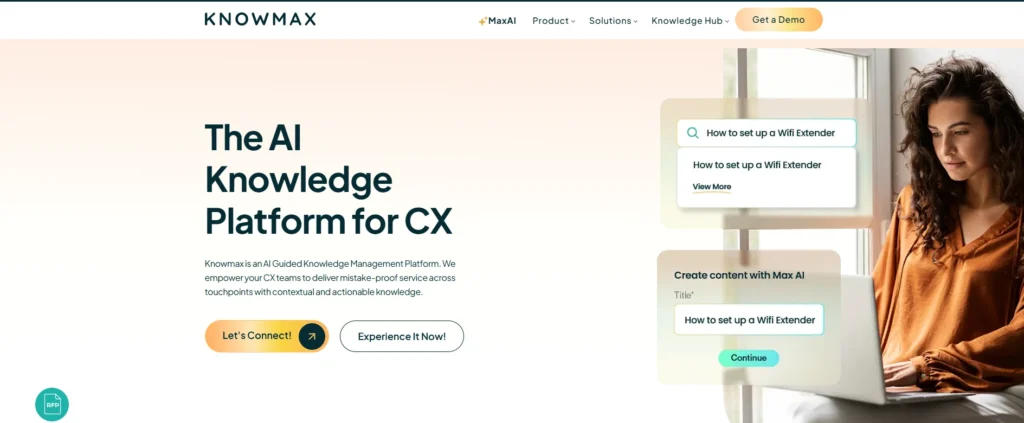
Knowmax is a customer experience–first AI knowledge management system that uses GenAI to deliver instant answers, speed up content creation, and provide actionable insights to keep the knowledge base accurate, relevant, and healthy.
It’s easy to use and comes with a Chrome extension, so agents don’t have to switch between multiple screens during live interactions. Knowmax also offers ready-to-use APIs for seamless integration with the tools and platforms your support teams already use.
Key Features:
- Ask AI: Searches the knowledge base and delivers instant answers with source references
- Content Summaries: Highlights key information so frontliners can respond quickly and confidently
- Faster Content Creation: Converts existing content into decision trees and generates near-accurate drafts using prompts
- Multilingual Support: Translates content into 15+ global languages in just a few clicks
- Content Repurposing: Turns long articles into bite-sized FAQs and quizzes for faster consumption and training
Case Study: Real-World Impact
Global telecom player transforms CX and achieves $60,000 cost savings with Knowmax
A global telecom leader partnered with Knowmax to streamline agent access to accurate, guided knowledge across channels. By using decision trees and structured workflows, agents were able to resolve queries faster and more consistently. This led to improved operational efficiency, better customer experience, and cost savings of $60,000, while maintaining high service quality at scale.
See How Global telecom player transforms customer experience and achieves $60,000 cost savings with Knowmax
2. Zendesk
Zendesk is a customer service platform that helps teams manage conversations, knowledge, and workflows across multiple channels. It includes tools for building help centers, automating responses, and using AI to surface answers quickly. Zendesk is widely used by support teams to centralize tickets, improve response quality, and deliver consistent customer experiences.
Key Features:
- AI-powered search and bots that help agents and customers find answers faster
- Built-in help center to create and manage self-service knowledge articles
- Multichannel support across email, chat, phone, and messaging apps
- Ticketing and workflow automation to reduce manual effort and response time
- Reporting and analytics to track performance and customer satisfaction
- Integrations with CRM systems, contact center tools, and third-party apps
3. Salesforce:
Salesforce is a leading enterprise CRM platform that unifies customer data, sales, service, and marketing tools in one place. Its AI-driven knowledge and service features help large support teams deliver consistent answers, automate workflows, and gain insights from interactions—all while staying tightly connected to your customer records.
Key Features:
- AI-driven knowledge and service features powered by Salesforce Einstein
- Centralized CRM with customer data across sales, support, and marketing
- Self-service help centers and support portals for customers
- Automated workflows and case routing to improve agent efficiency
- Advanced reporting and dashboards for deep insights
- Integrations within the Salesforce ecosystem and third-party apps
4. Helpjuice
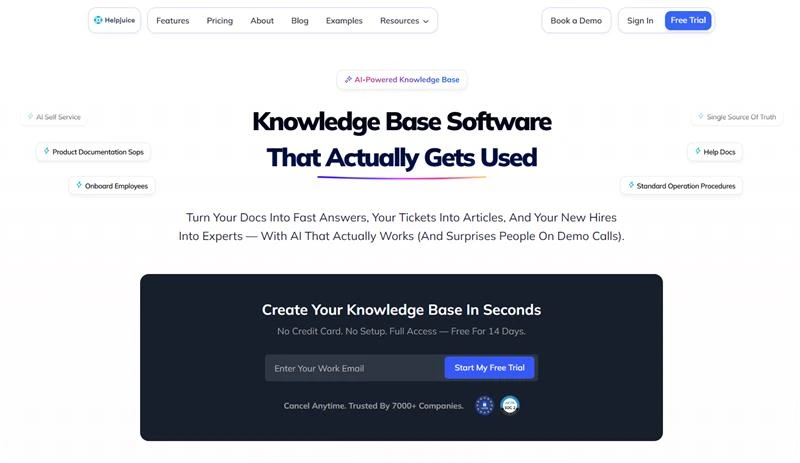
Helpjuice is a dedicated AI knowledge base platform that uses artificial intelligence to help employees find answers instantly without waiting on HR, IT, or support teams. It’s built for companies that need to cut down on repetitive questions and make internal knowledge actually accessible.
The AI features handle search intelligence and content suggestions, so your knowledge base stays relevant and easy to navigate. It learns from what people search for and surfaces the right information even when queries are vague or misspelled. Swifty, the built-in AI assistant, speeds up content creation and helps you draft, update, and refine articles without starting from scratch.
Key Features:
- AI-powered search that surfaces accurate answers even for vague or misspelled queries
- Swifty AI assistant to draft, update, and refine knowledge articles faster
- Smart content suggestions based on what employees search for most
- Centralized internal knowledge base to reduce repetitive HR, IT, and support questions
- Customizable structure and design to match company workflows and branding
- Access controls and permissions to manage who can view or edit content
- Analytics and insights to track usage, gaps, and content performance
5. Guru
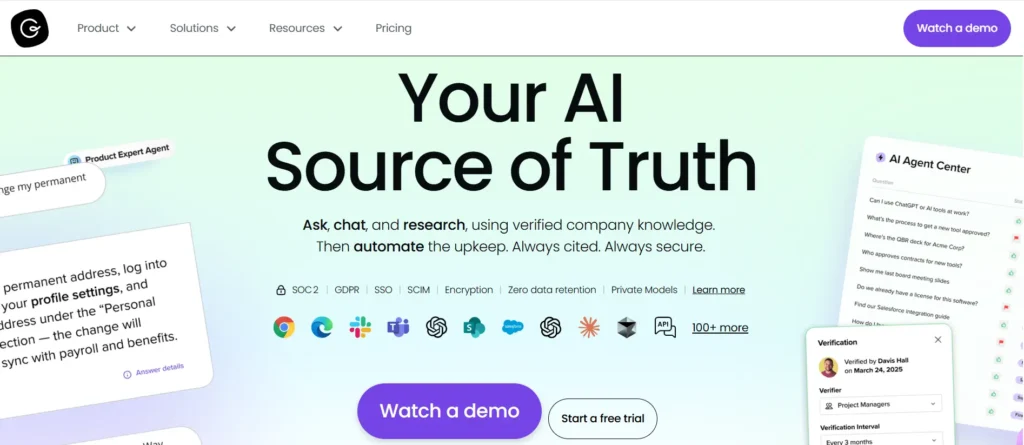
Guru is an internal knowledge management platform that helps teams capture, organize, and share company knowledge right where work happens. It connects knowledge to the tools teams already use—like Slack, email, and browser extensions—so answers are immediately accessible without disrupting workflows. With AI suggestions and verification workflows, Guru helps keep knowledge accurate, up-to-date, and easy to find.
Key Features:
- AI-powered suggestions that surface answers contextually as teams work
- Centralized knowledge cards that make information easy to capture and reuse
- Browser extension and integrations so knowledge shows up in apps you already use
- Verification workflows to keep content accurate and up-to-date
- Role-based access controls to manage who can view and edit information
- Analytics to track usage, gaps, and team engagement
6. Slite

Slite is designed with the objective of simplifying the processes involved in the creation, management, and retrieval of organizational information. It serves as a centralized repository, aiming to establish a singular source of truth for organizational knowledge.
Leveraging AI, Slite facilitates language translation, rectifies spelling and grammatical errors, shortens lengthy text, adjusts tone and style, and provides summaries for extensive documents.
Moreover, Slite includes an AI-driven assistant, expediting response times during information searches. You can further refine written communication through AI, including language translation, error correction, text condensation, tonal modification, simplification, and summarization.
Key Features:
- Centralized workspace to create, store, and manage organizational knowledge
- AI-powered writing assistance for grammar correction, tone adjustment, and text simplification
- Automatic summaries for long documents to improve readability
- AI-driven search assistant that speeds up information retrieval
- Language translation to support global teams
- Collaborative documents with comments and version history
- Structured pages and folders to maintain a single source of truth
Learn About Knowledge Base with Knowmax
Why Choose Knowmax for AI Knowledge Management for Your Business?
Knowmax is a customer-experience-first AI knowledge management platform designed to deliver accurate, compliant, and omnichannel knowledge for both AI systems and frontline teams. It acts as a single source of truth, grounding AI responses in approved content to reduce hallucinations and ensure consistency across channels.
Knowmax combines generative AI, guided decision trees, and contextual knowledge delivery to help organizations resolve issues faster, improve self-service, and scale knowledge without operational complexity. Features like Ask AI with source references, AI-powered content creation, multilingual support, and seamless CRM integrations enable agents and AI assistants to access the right information instantly—without switching tools.
Organizations using Knowmax have seen lower Average Handle Time (AHT), higher First Contact Resolution (FCR), faster agent onboarding, and improved self-service containment, especially in highly regulated industries such as banking, insurance, telecom, and healthcare.
Built for enterprise use, Knowmax ensures security, governance, and compliance with support for version control, approval workflows, audit trails, and certifications, including GDPR, SOC, ISO 27001, and HIPAA.
To Sum It Up
AI knowledge base comes with great power, especially in the modern world, where organizations are expected to do more with less. And the ultimate key to turning AI’s hype into a sustainable reality is backing up all AI initiatives with reliable knowledge infrastructures, built on strong knowledge sharing practices that ensure information flows freely across teams and systems.
FAQs
Generative AI improves knowledge management by transforming static content into dynamic, conversational answers. It helps users find information faster by understanding natural language questions, summarizing long documents, and generating context-aware responses. This reduces search time, improves self-service success, and enables agents to deliver accurate answers without manually browsing multiple documents.
Agentic AI goes beyond answering questions—it takes actions based on knowledge. In knowledge management, it can proactively guide agents, recommend next best steps, trigger workflows, and adapt responses based on user context. This makes knowledge more actionable, consistent, and aligned with real business processes.
Knowmax is a strong example of an AI-based knowledge base used by enterprises to deliver fast, accurate, and consistent information across customer support channels. It centralizes SOPs, policies, product knowledge, and troubleshooting guides, then uses AI to surface the most relevant answers in real time, whether for agents or self-service users. This helps organizations reduce handling time, improve first-contact resolution, and ensure compliant responses at scale.
A traditional knowledge base relies on manual search and static articles, while an AI-powered knowledge base understands user intent and delivers direct, contextual answers. AI knowledge bases learn from usage, improve over time, and ensure consistent responses across channels, making them faster, smarter, and more scalable.
ChatGPT generates responses based on general training data, which may not always reflect your organization’s policies or latest information. An AI knowledge base, on the other hand, is grounded in your approved enterprise content, ensuring accurate, compliant, and up-to-date answers tailored to your business.
An AI knowledge base can manage a wide range of content, including FAQs, SOPs, policy documents, product manuals, training materials, CRM tickets, call transcripts, and compliance guidelines. All content is centralized, structured, and made easily accessible through AI-powered search and recommendations.
AI knowledge bases are highly accurate when grounded in validated and approved content. Accuracy improves through content governance, version control, and continuous feedback. By using retrieval-based methods instead of guesswork, AI knowledge bases significantly reduce errors and hallucinations, making them reliable for enterprise use.
Accuracy depends on data quality, retrieval methods, and feedback loops. Well-implemented systems achieve significantly higher consistency than manual knowledge search.


 Word Document)
 Excel File)


